
Get your days dialed in.
Your calendar, to-dos, habits, focus, health and cycle on one calm screen. Everything stays on your phone. No account. No subscription. No one watching.
Today
Open one app.
Know your whole day.
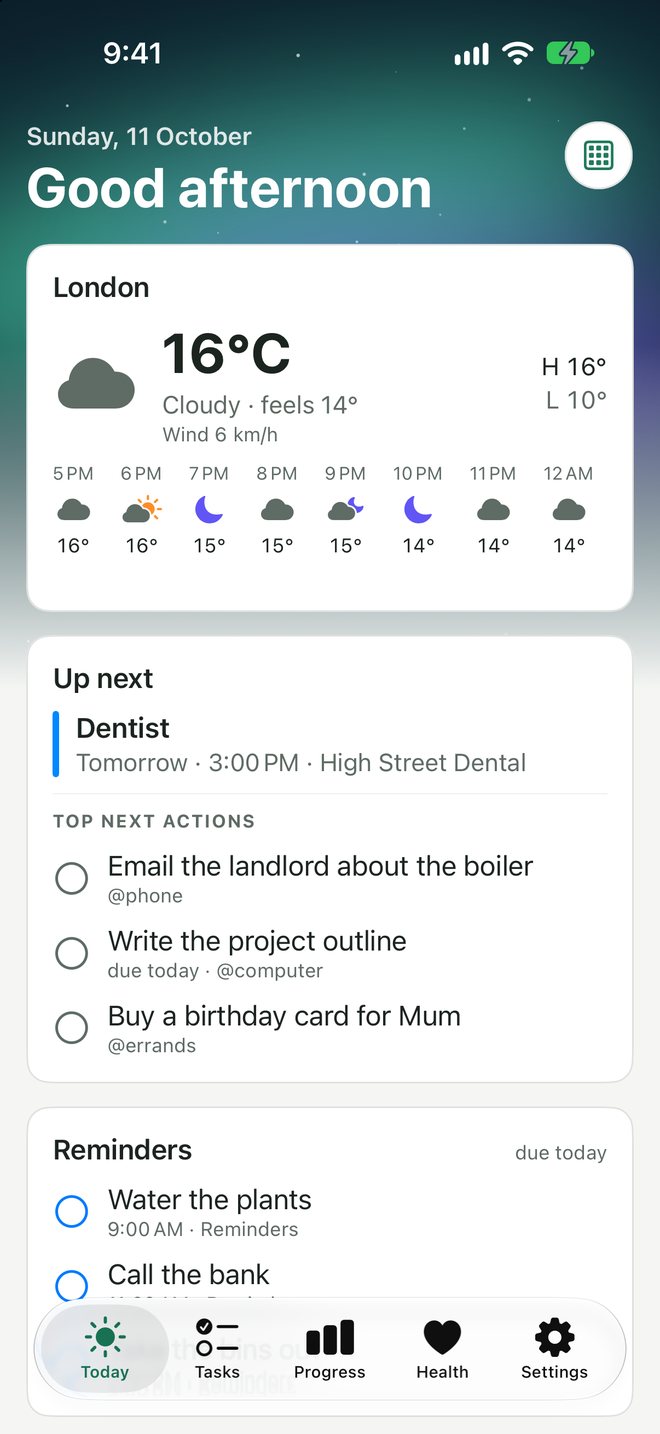
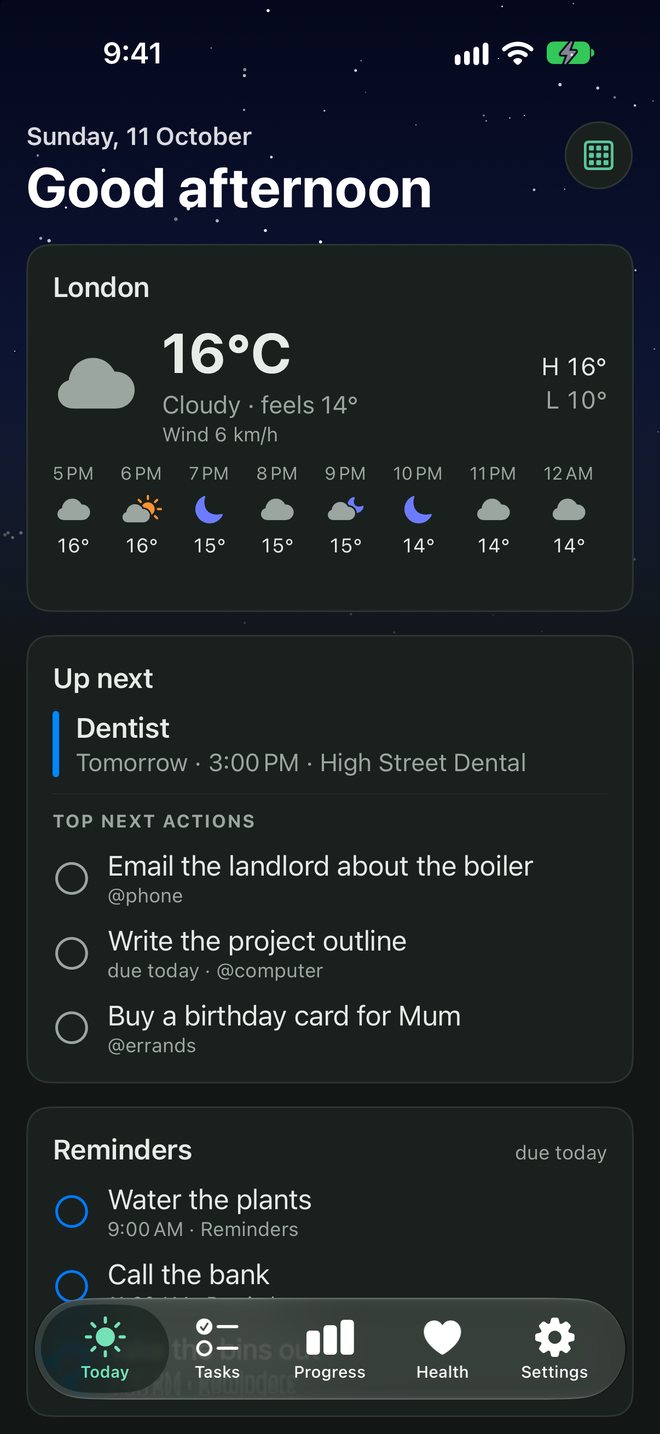
No more checking five apps before breakfast. Today puts what matters on one screen: the weather, what's coming up, the three things worth doing next, and the reminders due today.
- Works with every calendar on your phone, including iCloud, Google and Outlook
- Your Apple Reminders show up, and ticking one off marks it done
- Home-screen widgets, so you don't even need to open it
Tasks
Get it out of your head in two seconds.
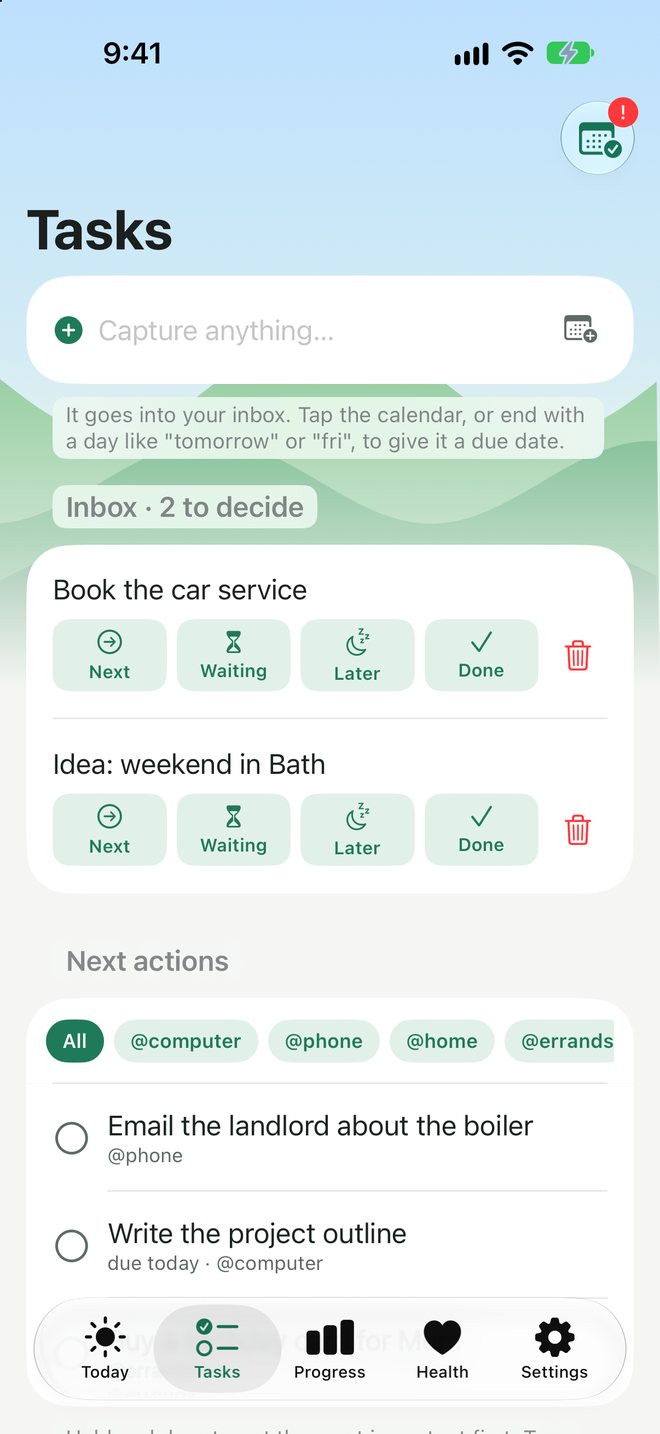
Capture anything into your inbox, then decide later: next, waiting, later or done. Type "tomorrow" or "fri" and the date sets itself. It's GTD without the homework.
- Contexts like @phone, @computer and @errands, so you see what you can do right now
- Projects, habits and goals in the same place
- A weekly review that takes minutes, not an afternoon
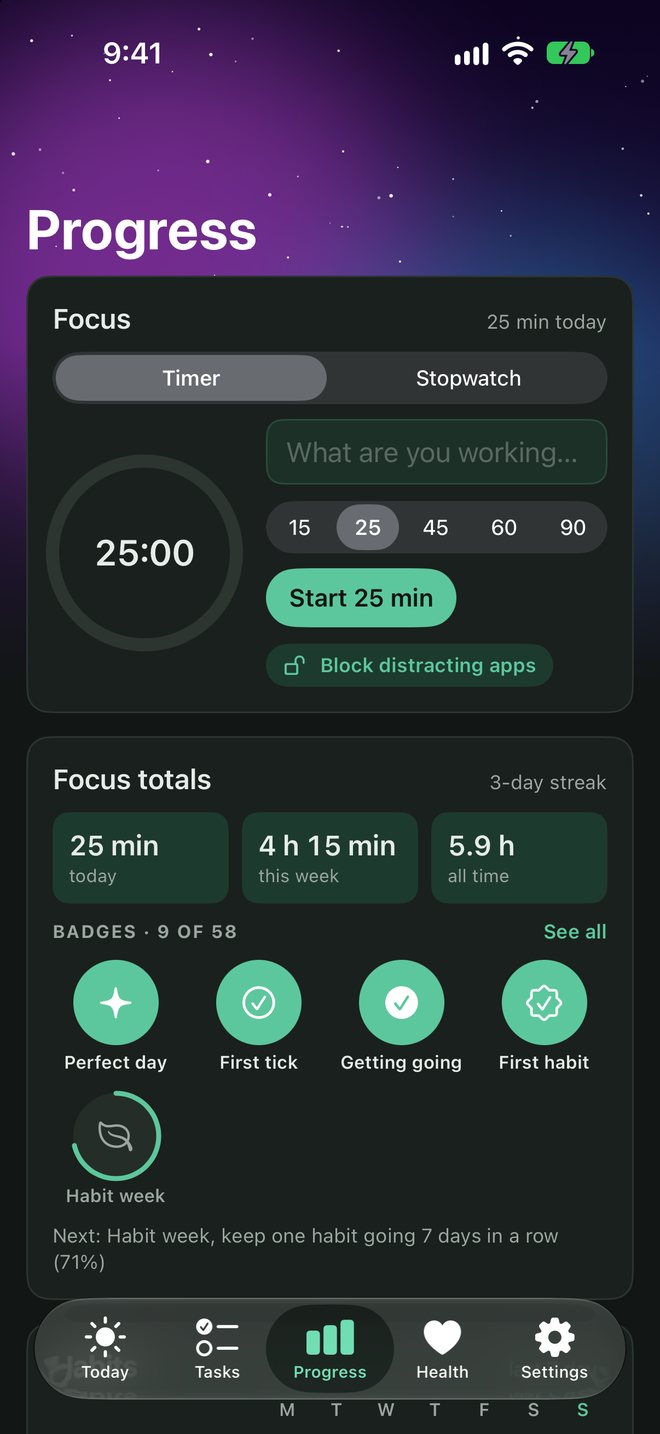
Focus
Deep work, with the distractions locked out.
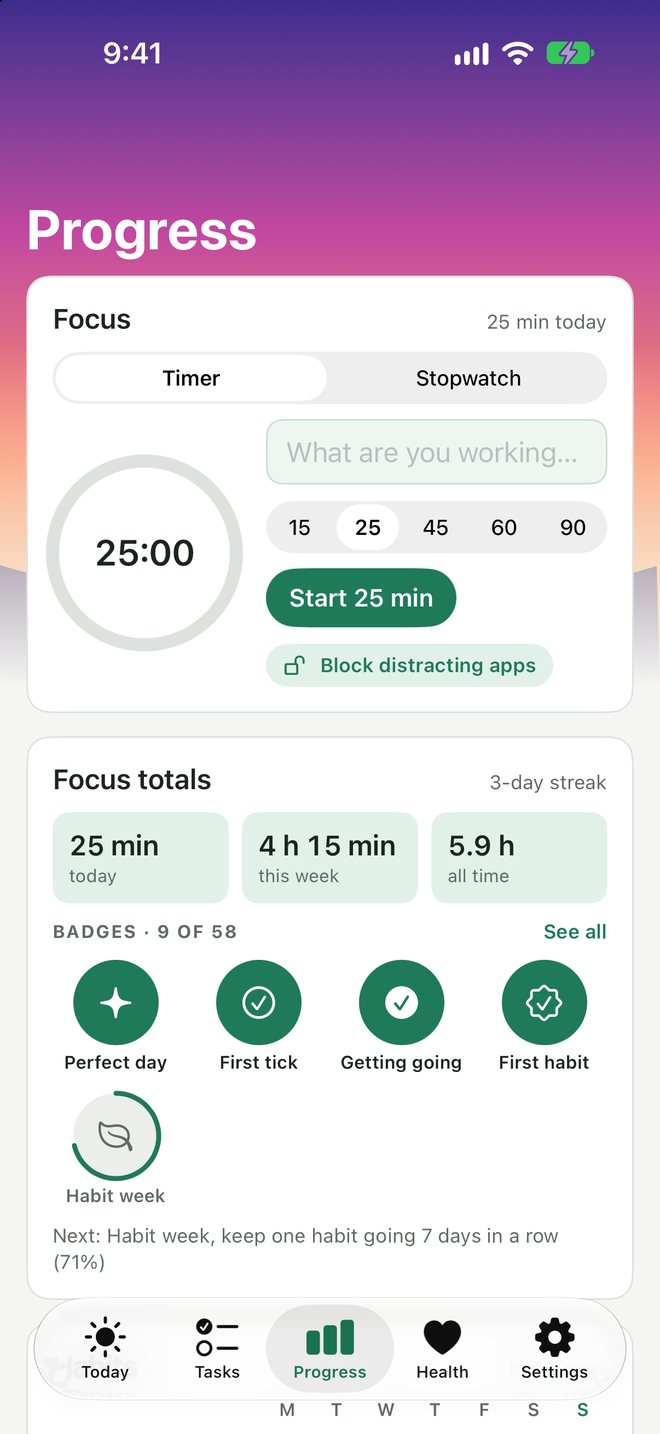
Start a focus timer and Daystead can block the apps that steal your afternoon until the timer ends. Your streaks, totals and badges build up as you go.
- Timer or stopwatch, from 15 to 90 minutes
- Block distracting apps while you focus
- 58 badges to earn, and each one unlocks a new wallpaper
Health
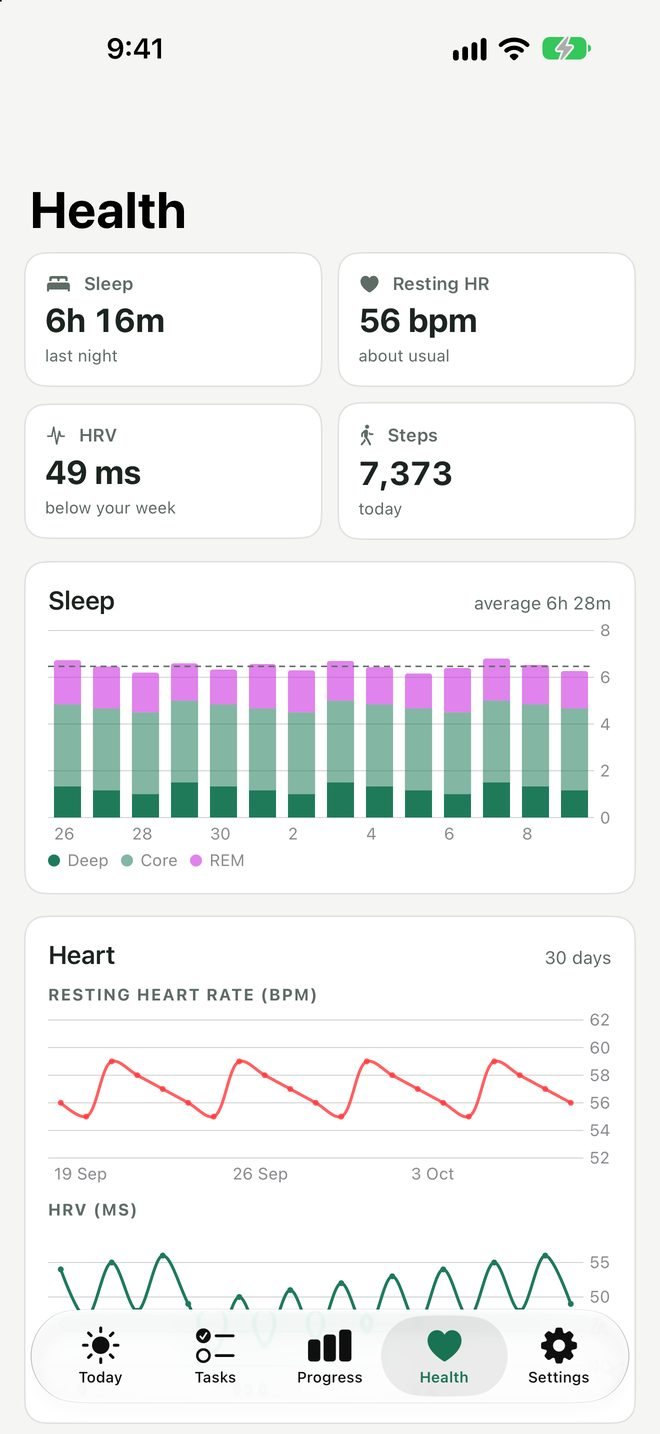
Does more sleep mean more done? Now you'll know.
Daystead puts your sleep, resting heart rate, HRV, steps, weight and workouts next to your day, then shows you how your sleep lines up with your focus and finished tasks.
- Reads from Apple Health or Health Connect. Nothing to sign into
- Your health data never leaves your phone
Cycle
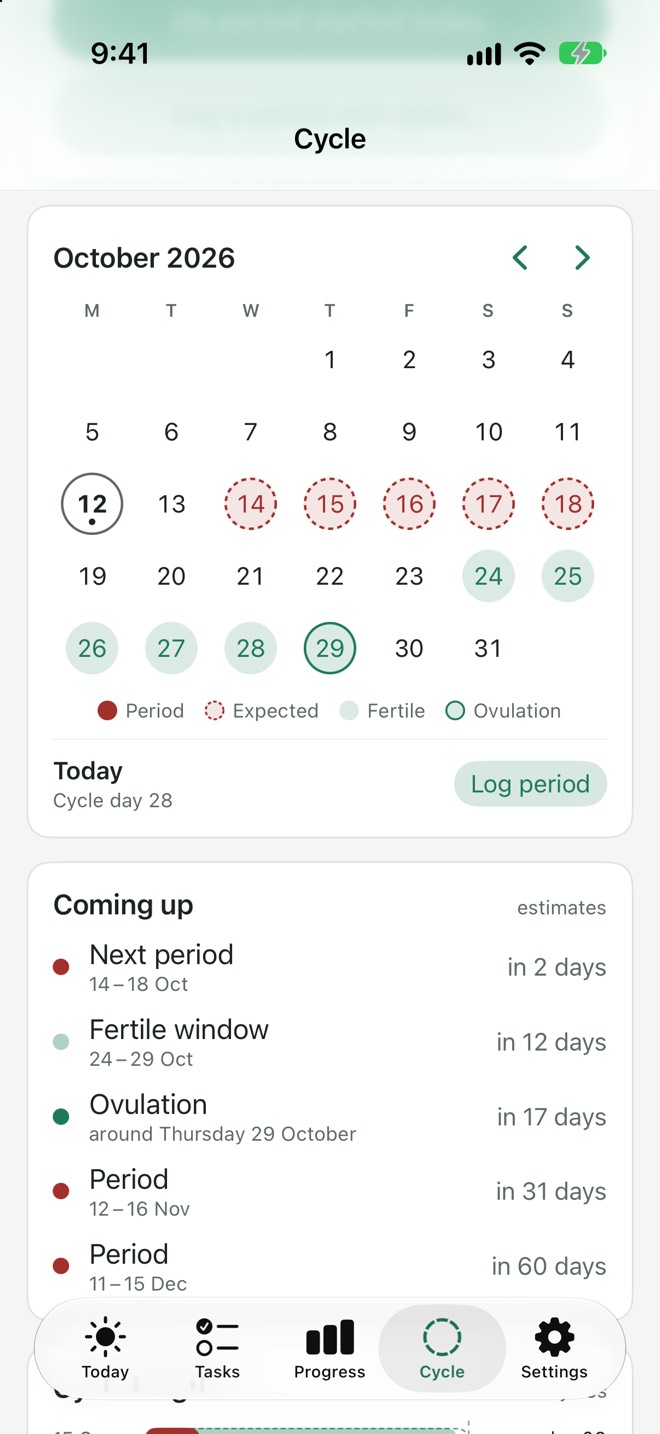
A cycle tracker that isn't selling your data.
Log a period with one tap. A calendar shows your next periods and your fertile window, and a chart shows how regular your cycles are. It's private by design: stored on your phone, and saved to Apple Health or Health Connect only if you choose.
- A calendar of expected periods, fertile window and ovulation
- Predictions based on your own past cycles, with a chart of each one
- Turn it on or off; it's there only if you want it
And the little things
Small touches that make it yours.
Wallpapers you earn
Aurora, Starfield, City lights, Lagoon and more, each unlocked by a badge. Your progress shows up every time you open the app.
Parcel tracking
Share a delivery email to Daystead and it tracks the parcel on your Today screen.
Five colour themes
Forest, Ocean, Slate, Sand and Violet, in light or dark.
Widgets
Your day on your home screen, at a glance.
Backups you own
Export everything to one file, any time. No lock-in.
Your days, your device
We can't see your data.
That's the point.
A homestead is somewhere self-sufficient that's yours. Daystead works the same way: no servers holding your life, and no account to hack or sell. It's your phone, and that's it.
accounts to make. Open it and start.
trackers, analytics or ads inside the app.
bytes of health data uploaded. Ever.
on your device, plus your own iCloud if you turn on sync.
Why switch
Your app stack, without the stack.
Most people juggle a to-do app, a habit app, a focus timer and a period tracker. That often means several subscriptions, logins and privacy policies.
| The usual stack | Daystead | |
|---|---|---|
| Apps to check each morning | 4 or more | 1 |
| Price | Often a subscription each | Pay once |
| Accounts | One per app | None |
| Where your data lives | Their servers | Your phone |
| Tracking and ads | Common | None |
Everywhere you are
Built natively for every screen.
Not a web page in a wrapper. Daystead is a real app on each device, so it's fast and it works offline.
iPhone
Apple Health, Reminders, widgets
iPad
Sidebar and multi-column layout
Mac
Coming soon: menus, shortcuts, glass sidebar
Android
Coming soon: Health Connect, widgets
Pricing
Pay once. Keep it.
No subscription. Buy Daystead once on the App Store or Google Play, and it's yours. One purchase covers your iPhone, iPad and Mac.
£9.99 once · $9.99 · €9.99
- Every feature, on iPhone, iPad and Mac (Android on Google Play)
- No subscription, no in-app upsells
- Free while it's in beta: try it now
FAQ
Questions, answered.
How do I get the beta?
The beta is open on iPhone and iPad. Pop your email in above and your invite arrives in a minute: install Apple's free TestFlight app, tap the link in the email, and you're in. Mac and Android versions are coming soon: pick Mac or Android and we'll email you the moment yours is ready.
How much will it cost?
It's free while it's in beta. At launch it's free to download with a 14-day free trial, then a one-off £9.99 ($9.99, €9.99) unlocks it for good on the App Store and Google Play. There's no subscription, and the trial never charges you by itself.
Do I need to make an account?
No. There's no sign-up and no login. Open the app and start.
Where is my data stored?
On your device. On Apple devices you'll be able to sync through your own iCloud, which we can't read. You can export everything to a backup file any time. Health data always stays on your iPhone or iPad.
Does it work with my Garmin, Oura, WHOOP or Apple Watch?
Yes. If your device sends its data to Apple Health (iPhone) or Health Connect (Android), Daystead can show it, including Garmin, Oura, WHOOP, Strava, Withings, Polar and Apple Watch.
Does it work with Google Calendar?
Yes. Add your Google (or Outlook, or iCloud) account to your phone's calendar, and Daystead shows those events on Today.
Is the cycle tracker medical advice?
No. Its estimates, the fertile window included, come from your own past cycles and are for personal tracking only. Don't use them as contraception.
I used the old Daystead web board. What happens now?
The web board has been replaced by the apps, and they import its backup files: Settings → Backup → Restore or import a backup. Get stuck? Email [email protected] and we'll help you move across.
Tomorrow starts
on one screen.
Join the beta free, and get your days dialed in.